How to Maintain Your Thermostat for Year-Round Accuracy
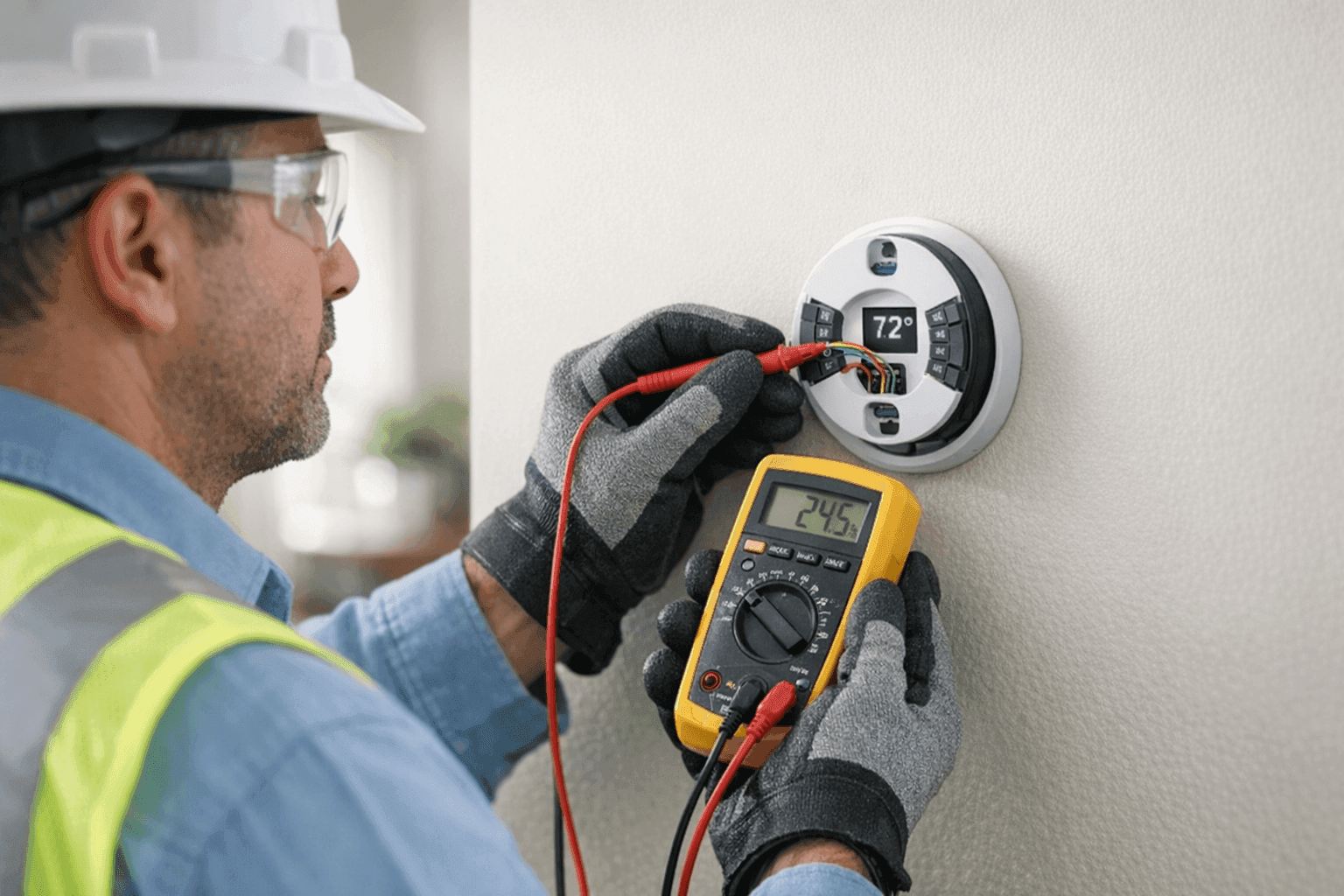
When your thermostat is off by just a few degrees, your whole world can feel upside down. Too warm, too cold, or a mix of both—suddenly, comfort feels out of reach. At Brama Cooling, we know a reliable thermostat is the silent conductor of your heating and cooling orchestra. It’s not a gadget to ignore.
Routine maintenance doesn’t take much time, but it can make all the difference. Avoid inconvenient breakdowns and keep your home or business running smoothly—year-round.
Why Thermostat Accuracy Matters ❄️
Think of your thermostat as the steering wheel of your HVAC system. Every degree it drifts off course, your comfort—and your energy bill—can take a hit.
- Wasted Energy: Inaccurate thermostats can force your cooling system to run too long or not enough, driving up costs.
- Wear and Tear: Short cycling or overworking your AC and heating strains your whole system.
- Comfort Loss: If your thermostat isn’t reading correctly, you’ll always be adjusting—never quite satisfied.
The U.S. Department of Energy emphasizes accurate temperature control for savings and comfort. For both residential and commercial spaces, the stakes are high.
Routine Maintenance Tasks
A little care goes a long way. Here’s how to keep that thermostat sharp and responsive:
1. Change the Batteries
Batteries running low? Your thermostat may lose its settings or shut off completely. Most units use AA or AAA batteries—swap them out at least once a year, or any time you notice the screen fading.
Tip: Mark your calendar to change batteries when you set your clocks for daylight saving time.
2. Clear Away Dust
Dust may seem harmless, but it can gum up sensors and buttons. Once every few months:
- Gently remove the thermostat cover.
- Use a soft brush or a can of compressed air to clear away dust.
- Wipe the display and buttons with a dry microfiber cloth.
3. Check the Location
If your thermostat sits near a window, oven, lamp, or vent, its readings can go haywire. Make sure it’s away from direct sunlight and drafts for the truest temperature.
4. Calibrate for Accuracy
Some digital thermostats let you adjust calibration manually; for others, professional help is best. Follow your manufacturer’s instructions—every brand is a little different. (Check your owner’s manual, or look up the model on the manufacturer’s website.)
5. Inspect for Loose Wires
Loose wires can cause the unit to malfunction. If you’re comfortable, look for any loose or corroded connections—but never attempt repairs if you’re unsure. When in doubt, call in an HVAC pro.
When to Replace Your Thermostat
No device lasts forever. Watch for these telltale signs it’s time to upgrade:
- The display is blank or unresponsive, even after changing batteries.
- Your system cycles on and off at odd times.
- Temperatures never seem to match what’s set.
- The unit is older than 10 years, or parts are no longer available.
Newer programmable and smart thermostats offer better efficiency and control. If you’re considering an upgrade, Brama Cooling can help with Thermostats.
Troubleshooting Common Issues 🛠️
Even with the best care, problems sometimes pop up. Here’s what to check first:
The Screen Is Blank
- Check the batteries.
- Flip the circuit breaker or fuse for your HVAC system.
- Inspect for tripped safety switches.
System Won’t Respond
- Double-check the settings—heat, cool, and auto modes.
- Ensure the temperature is set far enough from the room temp to trigger the system.
- Listen for clicking sounds (no click could mean a wiring issue).
Room Feels Too Hot or Cold
- Verify the thermostat location is free from drafts and heat sources.
- Make sure the settings haven’t been changed accidentally.
- Schedule a HVAC Maintenance appointment if the issue persists.
Quick Safety Checklist
Before you start any work:
- Turn off power at the breaker panel.
- Use insulated tools for any electrical inspections.
- Follow all safety guidelines recommended by the manufacturer.
When in doubt, safety comes first—call a professional.
DIY vs. Call a Pro
Simple fixes—like changing batteries or dusting—are easy for most homeowners and facility managers. But deeper issues, such as calibration or wiring, are best left to a licensed HVAC contractor.
Certified technicians (like those at Brama Cooling) follow industry standards such as the National Electrical Code (NEC) and manufacturer-specific guidelines. You get peace of mind knowing the job is done right.
What Pros Do On Arrival
When a technician visits for thermostat service or troubleshooting, here’s what you can expect:
- Inspection of unit and wiring for safety and performance.
- Testing of system response to various settings.
- Calibration or programming adjustments as needed.
- Recommendations for upgrades or repairs if required.
Technicians can also assess if your thermostat is the right fit for your system—sometimes, incompatibility causes more issues than age alone.
Prevention & Maintenance
The best way to avoid thermostat headaches? Make routine thermostat checks part of your regular HVAC Maintenance plan.
- Schedule seasonal inspections (spring and fall are ideal).
- Combine with filter changes and overall system tune-ups.
- Keep a maintenance log—note battery changes, cleaning, and any issues.
Costs & Time Factors
Thermostat maintenance is quick and affordable—think minutes, not hours. Most tasks require just a screwdriver and a few household supplies.
Replacement costs vary based on the unit’s features. Basic digital models are less expensive, while smart thermostats offer energy-saving benefits that can pay off over time.
When It’s an Emergency
If your thermostat fails during a heat wave or cold snap, it’s more than inconvenient. It can threaten health, safety, or business operations.
Brama Cooling offers 24-hour emergency service to restore comfort fast. Don’t wait—uncontrolled temperatures can damage property, inventory, or sensitive equipment.
FAQ: Thermostat Maintenance
How often should I clean my thermostat?
Every three months works well for most environments.
Do I need a pro to calibrate my thermostat?
For most digital models, yes. Always check the manufacturer’s instructions.
Can a bad thermostat cause my AC or heat to stop working?
Absolutely. Faulty thermostats can shut down your system or cause erratic cycling.
What’s the lifespan of a typical thermostat?
About 10 years. Upgrade sooner if you notice persistent issues.
Seasonal Considerations 🌦️
Before summer’s heat or winter’s chill, run through your maintenance checklist. Small steps now can prevent big headaches later.
- Test your cooling system with the thermostat before temperatures spike.
- Replace batteries and clean sensors as part of your spring and fall routines.
- Consider a home energy audit for year-round efficiency.
Common Mistakes to Avoid
- Ignoring routine maintenance.
- Placing the thermostat in a bad location.
- Forgetting to change batteries.
- Attempting complex repairs without the right experience.
Signs of Trouble
Watch for these red flags:
- Inconsistent room temperatures.
- System not turning on or off as expected.
- Frequent battery changes needed.
- Display glitches or error codes.
If issues persist, it could be time for professional help.
Timeline & Disruption
Most maintenance checks take just 10–15 minutes. Full replacement or rewiring may require an hour or two, but disruption is usually minimal—especially with a seasoned technician.
Materials & Equipment
- New batteries (AA or AAA, as required)
- Soft brush or compressed air
- Screwdriver
- Microfiber cloth
- Owner’s manual
Local Help When You Need It
Whether you’re in a home or managing a commercial space, reliable thermostat performance is non-negotiable. For all things cooling, from HVAC Maintenance to installations and repairs, Brama Cooling is ready to help.
Call Brama Cooling now — or reach us anytime at 888-840-5035 .